Missouri 2026 tablet and Lifeline guide
Free Government Tablet in Missouri: Safe Lifeline and Benefit Options in 2026
Missouri residents may be able to check free or discounted tablet options through Lifeline-related provider offers, SNAP/EBT proof, MO HealthNet Medicaid proof, income eligibility, and local digital access resources. A tablet is not guaranteed. Lifeline is still active, but it mainly helps with phone or internet service. The Affordable Connectivity Program ended, and ACP discounts stopped on June 1, 2024.
Quick answer for Missouri
The safest answer: there is no guaranteed federal free government tablet for every Missouri household. A Missouri resident may qualify for Lifeline service and may find a provider tablet promotion, but device availability depends on ZIP code, provider rules, stock, activation, shipping, copay, and eligibility verification.
Quick Answer for Missouri Residents
Best answer for Missouri residents
If you are searching for a free government tablet in Missouri, treat the phrase as a shortcut people use online. In 2026, the realistic path is to check Lifeline eligibility, confirm whether a participating provider has a device offer for your Missouri ZIP code, and compare safe local alternatives such as public libraries, Missouri Assistive Technology, community action referrals, and digital equity programs.
SNAP, EBT, MO HealthNet Medicaid, SSI, Federal Public Housing Assistance, Section 8, Veterans Pension, Survivors Benefit, certain Tribal assistance programs, or income eligibility may help you prove eligibility. They do not guarantee a tablet.
Free Tablet Apply is independent and informational only. It does not give tablets directly, approve applications, decide Lifeline eligibility, represent the State of Missouri, or represent the FCC, USAC, or any wireless provider. The goal is to help you avoid fake offers and understand the safer verification steps.
What “Free Government Tablet” Means in 2026
Many Missouri residents still see ads that say “free government tablet,” “SNAP free tablet Missouri,” or “free tablet with Medicaid in Missouri.” Those phrases can be confusing because different programs get mixed together. A provider may advertise a device connected to a Lifeline service enrollment or a discounted plan. That is not the same as a guaranteed government tablet program.
The Affordable Connectivity Program, often called ACP, is no longer paying monthly household discounts. Households stopped receiving ACP discounts on June 1, 2024. Any Missouri page or social post claiming that ACP still guarantees a new tablet in 2026 should be treated carefully.
ACP
The Affordable Connectivity Program was a federal broadband discount program. It ended, and Missouri households stopped receiving ACP discounts on June 1, 2024. ACP should not be used as proof that a new tablet is guaranteed in 2026.
Lifeline
Lifeline is still active. It helps eligible low-income households with phone or internet service discounts. A tablet may be tied to a provider promotion, but Lifeline itself mainly supports service, not a guaranteed device.
National Verifier
The National Verifier is the eligibility system used for Lifeline in many cases. It may check public benefit participation, income proof, identity, address, and household information before a provider can complete enrollment.
Does Missouri Have a Free Tablet Program?
I could not confirm a separate official statewide free tablet program for Missouri residents. Most realistic options are Lifeline service, provider device promotions, discounted devices, local libraries, nonprofit support, assistive technology resources, community action referrals, and digital access resources.
What this page can and cannot confirm
This page can explain Missouri benefit routes that may support eligibility, safe document steps, ZIP code checks, and local alternatives.
This page cannot confirm that a specific provider has tablet stock in your ZIP code today, that you will be approved, that shipping will happen by a certain date, or that a device will be new, premium, or free after all provider terms.
State-specific details Missouri residents should know: SNAP is handled through Missouri DSS and myDSS; Medicaid is commonly known as MO HealthNet; the state has broadband and digital equity work through the Department of Economic Development; public libraries can provide computer access; Missouri Assistive Technology supports disability-related device access; 211 Missouri and community action agencies can help with referrals; rural coverage can vary across the Ozarks, Bootheel, northern Missouri, and river counties; and applications can fail when names, addresses, apartment numbers, or household details do not match.
Main Ways Missouri Residents May Qualify
Eligibility usually starts with either a qualifying benefit or income level. A provider may ask you to complete a Lifeline check before showing phone, internet, or tablet options. If a tablet is offered, provider rules still control activation, shipping, copay, account status, and stock.
SNAP or EBT
Missouri SNAP participation can help prove Lifeline eligibility. Your EBT card is not a tablet voucher and your EBT PIN should never be shared.
MO HealthNet Medicaid
MO HealthNet coverage may help prove eligibility. Medicaid approval by itself does not mean a provider has a tablet offer.
SSI and income
Supplemental Security Income or qualifying income may help. Income documents should be current and match the applicant’s household.
Housing assistance
Federal Public Housing Assistance or Section 8 may support eligibility if the provider and verifier accept the documentation.
Veterans benefits
Veterans Pension or Survivors Benefit can be a qualifying route. See the related government tablet for veterans guide.
Tribal assistance
Eligible Tribal assistance may apply where relevant. Missouri residents should confirm the exact benefit, household address, and provider requirements before applying.
EBT/SNAP Free Tablet Options in Missouri
SNAP is one of the most common benefit documents used by Missouri households checking Lifeline-related options. If your SNAP case is active, you may be able to use a current approval letter, benefit notice, or other official proof from Missouri DSS or myDSS during an eligibility check.
SNAP does not give out tablets directly. It may help prove eligibility for Lifeline or a provider promotion. The provider still decides whether a device is available, free or discounted, subject to a copay, refurbished, basic Android, limited-stock, or unavailable.
Safety note for Missouri EBT users
Never share your EBT PIN for a tablet offer. A legitimate eligibility check should not need your EBT PIN, bank login, or private account password. If an offer says approval is guaranteed because you have EBT, slow down and verify the provider first. You can also read the tablet with EBT guide for safer questions to ask.
Medicaid Free Tablet Options in Missouri
Missouri Medicaid is commonly known as MO HealthNet. If you are enrolled in MO HealthNet, your coverage may help you prove Lifeline eligibility or income-related eligibility with a provider. A current approval notice, coverage letter, or official account document can be more useful than a screenshot that does not show your name, benefit status, or date.
Medicaid does not automatically ship a tablet. Confirm your MO HealthNet proof, complete the required eligibility path, and then check whether a Lifeline provider has any device offer for your address. Same-day tablet promises based only on Medicaid should be treated as a warning sign.
Lifeline Tablet and Phone Options in Missouri
Lifeline is the main active federal program Missouri residents should understand in 2026. It can reduce the cost of qualifying phone or internet service. Some companies may pair service enrollment with a discounted tablet, but the device part is not the core Lifeline benefit.
The household rule matters. Generally, Lifeline is limited to one benefit per household, not one per person. A household is usually people who live together and share income and expenses. If someone at your Missouri address already has Lifeline, you may need to resolve that before a new application can proceed.
Service and device are different
A phone or internet service discount may be available even when no tablet is available. Read provider terms before assuming a device is included.
Provider links to compare
Start with general provider education such as main providers, Lifeline phone and tablet, and provider-specific guides only when they fit your ZIP code check.
If you review provider pages such as StandUp Wireless tablets, Assurance Wireless tablet, SafeLink Wireless tablet, or AirTalk Wireless tablets, remember that availability can change by Missouri address and provider inventory.
Documents You May Need
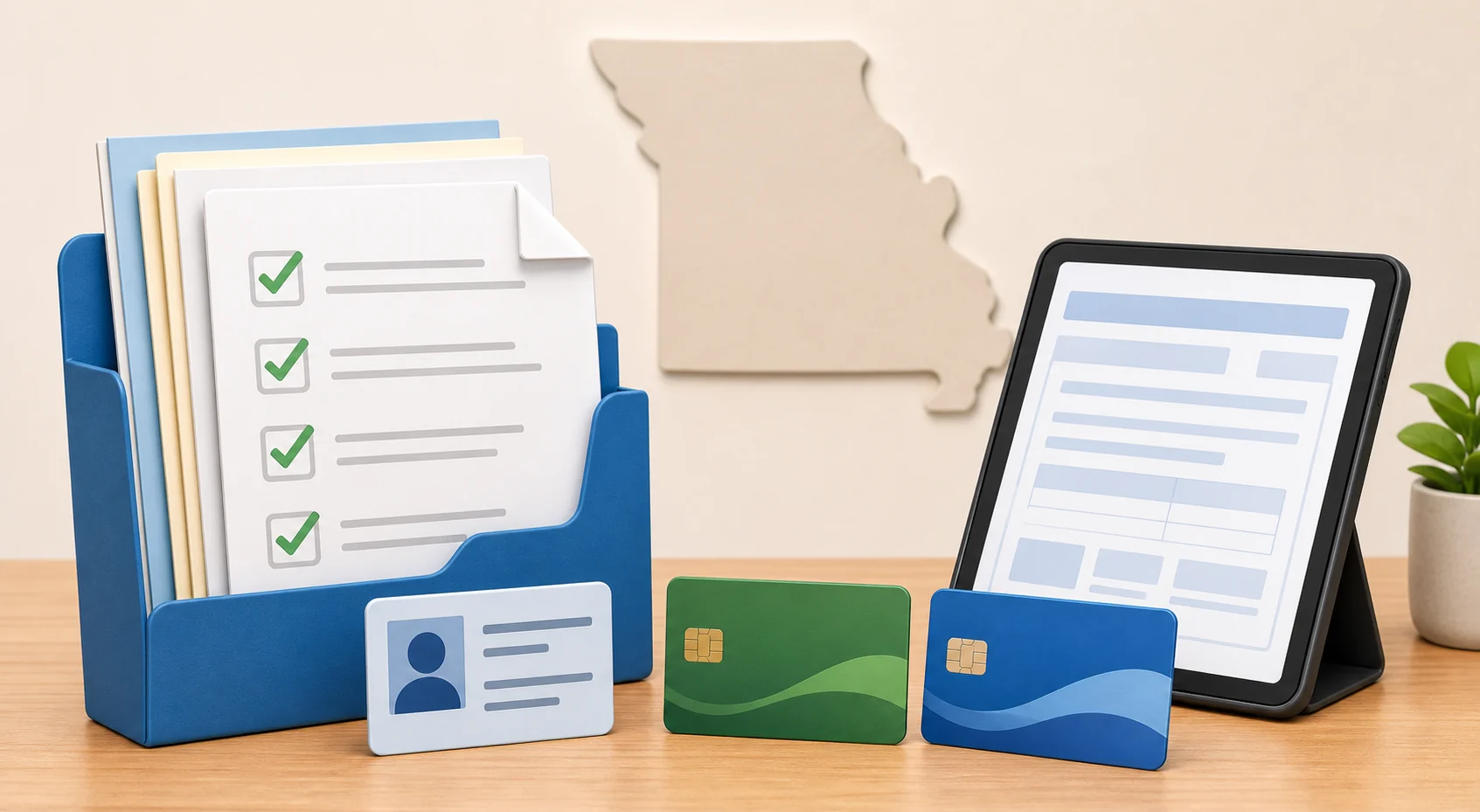
Document problems can delay or stop an application. Missouri residents can run into issues when a married name, apartment number, rural route, PO box, recent move, or household member does not match across myDSS, MO HealthNet, ID, and the National Verifier.
| Eligibility route | Possible document | Missouri-specific note |
|---|---|---|
| SNAP / EBT | Current approval notice, benefit letter, or official account proof | Missouri DSS / Family Support Division proof should show name and active status. |
| MO HealthNet Medicaid | Coverage letter, eligibility notice, or official benefit proof | Make sure the document clearly connects you to active MO HealthNet coverage. |
| Income eligibility | Pay stubs, benefit statements, tax documents, or unemployment proof | Use current household income documents and avoid cropped screenshots. |
| Identity and address | Government ID, lease, utility bill, or other accepted proof | Rural route, unit, apartment, and mailing address details should be consistent. |
| Housing, veterans, or Tribal assistance | Official award letter or program document | Confirm the provider accepts the exact program before submitting extra documents. |
For a deeper document checklist, use the government tablet documents guide before uploading anything.
Step-by-Step Application Path
1. Confirm your route
Choose the route that fits: SNAP, MO HealthNet, SSI, income, housing, veterans benefits, or eligible Tribal assistance.
2. Check the household rule
Ask whether anyone at your Missouri address already uses Lifeline.
3. Gather matching documents
Use clear documents with matching name, birth date, address, and benefit status.
4. Verify eligibility safely
Use the National Verifier or a trusted provider path.
5. Review provider terms
Check cost, activation, shipping, copay, return rules, and device condition.
6. Keep copies
Save confirmations and terms. If no tablet is available, check local alternatives.
For the full process, visit how to apply for a government tablet.
Provider Availability and ZIP Code Checks
Missouri has dense metro areas and large rural regions. St. Louis County, Kansas City, Columbia, Springfield, Jefferson City, and St. Joseph may have different provider options from the Ozarks, Bootheel counties, northern Missouri, river communities, and smaller towns. Even within one county, a provider may serve one ZIP code but not another.
ZIP code matters because coverage, Lifeline participation, inventory, shipping rules, and address validation can change by location. A neighbor’s result does not guarantee your result.
Why Missouri residents should check more than one option
A provider’s tablet stock can run out quickly. If one provider has no tablet offer, another may still offer Lifeline service, a discounted device, or a phone plan. Use government tablet near me to think through ZIP code checks without assuming guaranteed inventory.
What To Do If No Tablet Offer Is Available
No tablet offer does not mean you are out of options. It may only mean the provider lacks stock, does not serve your address, or offers service without a tablet.
Local public libraries
Missouri public libraries often provide computers, Wi-Fi, printing, basic tech help, online forms, job search tools, and document scanning. Library rules vary by branch.
Missouri Assistive Technology
For disability access, device demonstrations, reuse, or adaptive technology referrals, Missouri Assistive Technology can be more relevant than a generic tablet ad.
Community action and 211
Community action agencies and 211 Missouri can help identify local support for utilities, housing, food, transportation, and sometimes digital access referrals.
Low-cost or refurbished devices
If a free tablet is not available, compare low-cost refurbished Android tablets, library access, school resources, workforce centers, and nonprofit device programs.
Special Groups in Missouri
Seniors
Missouri seniors may qualify through income, SNAP, MO HealthNet, SSI, housing assistance, or other accepted benefits. See tablets for seniors.
Families with EBT/SNAP
SNAP can help prove eligibility, but families should protect the EBT PIN and check the household rule.
MO HealthNet households
MO HealthNet proof may support eligibility if the document is current and accepted.
Veterans
Veterans Pension or Survivors Benefit can be relevant. Avoid offers that demand bank logins or guarantee approval.
Rural residents
Coverage and shipping can be uneven in rural Missouri, especially for rural routes, PO boxes, and recent moves.
Students and adult learners
Libraries, workforce programs, schools, and community groups may help with computers, Wi-Fi, and uploads.
Scam Warnings for Missouri Residents
Fake tablet offers often copy benefit language and add pressure. A safe offer should have a clear provider name, clear terms, a secure verification path, and no demand for private account passwords.
Warning signs
- Someone asks for your EBT PIN, bank login, banking details, or email password.
- The offer uses a fake government logo, fake approval stamp, or unclear provider name.
- The ad says every Missouri EBT or Medicaid user is guaranteed a tablet.
- You are pressured to pay quickly through gift cards, cash apps, or social media messages.
- The page has no official verification path, no terms, and no privacy information.
- The offer promises same-day approval, same-day shipping, or a premium model without written terms.
If an offer feels suspicious, stop before uploading documents. You can compare official information through FCC, USAC, Lifeline Support, Missouri state benefit pages, and trusted local resources listed below.
Helpful Checklist Before You Apply
- Confirm whether you are using SNAP, MO HealthNet, SSI, income, housing, veterans, or Tribal assistance as your eligibility route.
- Check whether anyone in your household already receives Lifeline.
- Make sure your name, date of birth, address, apartment number, and household information match across documents.
- Use official or trusted verification paths, not random social media forms.
- Read whether the provider is offering service only, a discounted tablet, or a limited-stock device.
- Look for activation, shipping, copay, return, and cancellation terms before paying anything.
- Never share your EBT PIN, bank login, or passwords.
- Keep screenshots or copies of the offer terms and confirmation pages.
- If a tablet is unavailable, check libraries, community action, 211 Missouri, assistive technology, and digital equity resources.
FAQs About Free Tablets in Missouri
Can I get a free government tablet in Missouri in 2026?
Possibly, but it is not guaranteed. Missouri residents may qualify for Lifeline service or a provider device offer through SNAP, MO HealthNet Medicaid, SSI, income eligibility, housing assistance, veterans benefits, or eligible Tribal assistance. Tablet availability depends on provider rules, ZIP code, stock, activation, shipping, and any required copay.
Did ACP end for Missouri households?
Yes. The Affordable Connectivity Program ended, and households stopped receiving ACP discounts on June 1, 2024. Missouri residents should not rely on ACP for a new tablet benefit in 2026. Lifeline remains active, but Lifeline mainly helps with phone or internet service discounts.
Does Missouri have its own statewide free tablet program?
I could not confirm a separate official statewide free tablet program for Missouri residents. The realistic routes are Lifeline-related provider offers, discounted devices, public libraries, community referrals, assistive technology resources, and digital equity programs.
Can Missouri SNAP or EBT help me qualify for a tablet?
Missouri SNAP participation may help prove Lifeline eligibility. An EBT card is not a tablet voucher, does not guarantee a device, and you should never give anyone your EBT PIN to claim a tablet.
Can MO HealthNet Medicaid help me qualify for a tablet?
Current MO HealthNet Medicaid coverage may help prove Lifeline eligibility. Medicaid does not automatically approve a tablet. You still need an eligibility check and a provider with an available offer for your ZIP code.
Why does my ZIP code matter in Missouri?
Provider participation, wireless coverage, shipping rules, and device stock can vary by address. A resident in St. Louis, Kansas City, Columbia, or Springfield may see different options from someone in the Ozarks, Bootheel, northern Missouri, or another rural county.
What documents should Missouri residents prepare?
Prepare a current SNAP or MO HealthNet notice, income proof if using income eligibility, government ID, address proof, and any document requested by the National Verifier. Names, dates of birth, apartment or unit details, and household information should match.
Are provider tablets new or refurbished?
A provider tablet, when available, may be a basic Android model, a refurbished device, a discounted device, or a limited-stock item. Do not assume a premium iPad, Samsung tablet, or specific model unless the provider confirms it in writing.
Where can I get internet or computer access in Missouri if no tablet is available?
Start with local public libraries, Missouri Assistive Technology if disability access is involved, 211 Missouri for local referrals, community action agencies, schools, workforce centers, and local digital equity projects. These resources may offer public computers, device referrals, training, or low-cost access options.
Is Free Tablet Apply a Missouri government agency?
No. Free Tablet Apply is independent and informational only. It does not give tablets directly, approve applications, decide Lifeline eligibility, or represent the State of Missouri, FCC, USAC, or any provider.
Should I enter my Social Security number or EBT PIN on a social media tablet offer?
No. Do not give your EBT PIN, bank login, banking details, or private account passwords to anyone offering a tablet. Use official eligibility tools and trusted provider sites, and only provide sensitive identity information through secure official verification paths when required.
What is the safest first step for Missouri residents?
Check whether you have a qualifying benefit such as SNAP or MO HealthNet, review the household rule, gather matching documents, use the National Verifier or a trusted provider path, and compare local alternatives before paying any fee.
Final Helpful Summary
Safest answer: a free government tablet in Missouri is possible only through specific provider offers or local resources, not through a guaranteed statewide tablet program.
Main eligibility routes: SNAP/EBT, MO HealthNet Medicaid, SSI, income eligibility, housing assistance, veterans benefits, and eligible Tribal assistance may help prove eligibility for Lifeline or a provider offer.
Next step: gather current documents, check the household rule, verify through official or trusted paths, and compare local alternatives before paying any fee or sharing sensitive information.
External Resources
Source transparency: These links go to official or trusted resources for verification. External pages can change, so Missouri residents should review the current terms directly before applying or sharing documents.